The Most Common and the Most Devastating Threat
The Most Important Security Priority for Lifestyle Apps
“Even After Changing My Password, the Damage Continued”
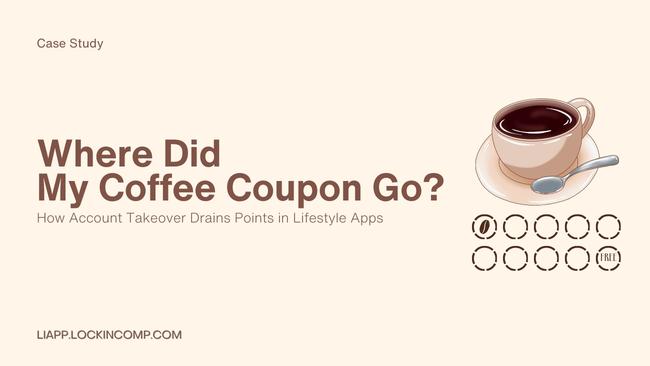
Like every morning, User A opened their lifestyle app shortly after waking up.
They planned to use reward points to buy a coffee, only to discover their balance was zero. Just the day before, there had been plenty of points remaining.
Then came a series of notifications:
-
Unauthorized payment transactions
-
Login records from unfamiliar devices
-
Personal information change alerts
User A immediately changed their password, but the damage had already begun.
Account takeover is the type of attack where, by the time you notice it, it is often too late.
Why Is Account Takeover the Greatest Threat to Lifestyle Apps?
A single lifestyle app account contains far more value than most people realize.
-
Reward points and stored credits
-
Payment methods
-
Coupons and membership benefits
-
Personal preferences and lifestyle patterns
-
Location and activity history
In other words, an account represents cash, personal information, and a record of daily life.
Once compromised, attackers can continue using the account freely until the password is changed.
The problem goes even further.
-
Often mistaken for user negligence
-
Leaves fewer traces than a server breach
-
Occurs across virtually every type of app
As a result, account takeover ranks among the most frequent and damaging security incidents.
How Account Takeovers Actually Happen
Analysis of real-world lifestyle app incidents shows that servers are rarely the primary target.
Most compromises occur within the app execution environment.
Common attack techniques include:
Fake Login Screen Overlays
Attackers place a fraudulent login screen over the legitimate application.
Keylogging Tools
User IDs and passwords are captured in real time as they are entered.
Automated Login Macros
Stolen credentials are used for large-scale automated login attempts.
Most users simply think, “The login seems a little slow today,” and enter their credentials without suspicion.
At that moment, the user unknowingly hands over control of the account.
What Was the Core Security Problem?
The root causes were clear.
Lack of Runtime Environment Verification
Logins were permitted even in rooted, hooked, or overlay-based environments.
Insufficient Protection of User Input
Keyboard input could be exposed to malicious tools.
Weak Detection of Abnormal Login Behavior
Automated logins could not be reliably distinguished from legitimate users.
Delayed Response to Suspicious Activity
Compromised accounts retained the same privileges even after signs of abuse appeared.
The real problem was that the platform focused on who logged in, but failed to evaluate the environment from which the login occurred.
How LIAPP Responded
Following a series of account takeover incidents, the lifestyle platform completely redesigned its security architecture.
-
Detection and blocking of rooted, hooked, and overlay environments
-
Protection against keylogging-based credential theft
-
Memory protection for login screens
-
Detection of automated login macro behavior
-
Blocking app execution in rooted devices, virtual machines, and other high-risk environments
-
Automatic restriction of points and payment functions when suspicious activity is detected
What Changed After Implementation?
After the new security measures were deployed:
-
Customer support cases related to account theft dropped significantly
-
Point and payment fraud incidents nearly disappeared
-
User trust was restored
Most importantly, the platform shifted its security mindset.
It was no longer enough that a user had logged in.
What mattered was whether the login occurred in a trusted environment.
Key Lessons from This Case
Account takeover is not simply a hacker problem.
It is a trust problem.
Can the app trust the environment in which it is running?
In lifestyle apps, an account is more than a login credential.
It is the key to a user's daily life and digital assets.
If that key cannot be protected:
-
Content protection fails
-
Payment protection fails
-
Personal information protection fails
And each failure triggers the next.
That is why account security must always remain the highest priority.
#LifestyleApp #AccountSecurity #AccountTakeover #FakeLogin #Keylogging #OverlayAttack #MobileSecurity #AppSecurity #UserTrust #PointsSecurity #PaymentSecurity #FraudPrevention #SecurityCaseStudy #LIAPP #LISS #LIKEY