“The Car Was Safe, but My Account Was Stolen”
How a Fake Vehicle App Led to Account and Payment Information Theft—and How LIAPP Helped Prevent It
“The App Icon Was the Same. The Screen Looked Identical.”
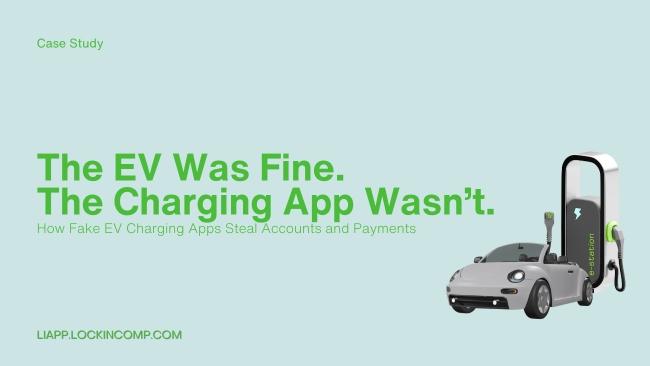
Before starting the car, a user opened an app to check the vehicle's charging status.
Whether it was a Hyundai & Genesis app, BMW ConnectedDrive, Tesla, or a frequently used charging or parking application, everything appeared normal.
The login screen looked exactly as it always had.
Without hesitation, the user entered their account credentials.
That night, notifications revealed that the vehicle account had been accessed from another region, and payment records showed charging transactions at unfamiliar charging stations.
The vehicle was still parked safely where it had been.
The account, however, was already in someone else's hands.
A Real-World Incident
The Vehicle Wasn't Hacked—The App Was
The investigation revealed something surprising.
The attackers never attempted to compromise the vehicle itself.
Instead, they:
-
Obtained the official vehicle, charging, or parking app APK
-
Injected malicious code into the application
-
Repackaged and redistributed it using the same icon and user interface
-
Tricked users into logging in through the fake application
The moment a user logged in, sensitive information became exposed.
Including:
✔ Vehicle account credentials
✔ VIN (Vehicle Identification Number)
✔ Payment information
✔ Charging and parking history
Importantly:
✘ No server breach occurred
✘ No vehicle ECU was compromised
The issue was never the car.
The issue was whether the application itself was authentic.
What Was the Security Problem?
The Assumption That the App Was Genuine
The danger of repackaging attacks lies in how convincing they are.
The fake application looked exactly like the original.
-
The same user interface
-
The same login process
-
The same payment workflow
Users had virtually no way to distinguish the fake version from the real one.
This is particularly dangerous for mobility applications because a single account often provides access to:
-
Vehicle management functions
-
Linked payment methods
-
Real-time vehicle status information
One successful login can expose an entire ecosystem of sensitive data.
How Did LIAPP Defend Against This Threat?
1. Application Integrity Verification
LIAPP validates the integrity of the application binary during launch.
It verifies in real time whether the application originated from an authorized build.
2. Repackaging Detection
LIAPP identifies:
-
Signature modifications
-
Injected code
-
Unauthorized package changes
Any deviation from the legitimate application is detected immediately.
3. Blocking Tampered Applications
If tampering is detected:
-
Application execution is stopped immediately
-
Access to the login screen is blocked
The attack is prevented before credentials can be entered.
“Fake Vehicle Apps Are Stopped Before They Start.”
One important distinction is that LIAPP performs these checks directly on the user's device.
Protection occurs before the application can interact with servers or collect user credentials.
What Changed After Deployment?
Following the deployment of LIAPP:
✔ Repackaged applications were blocked instantly
✔ Fake login screens could no longer be displayed
✔ Vehicle account and VIN theft incidents stopped
✔ No recurring payment information leaks were reported
Attackers could no longer convince users to run applications that merely looked legitimate.
Key Lessons
Vehicle security does not begin and end with the vehicle itself.
The first target is often the mobile application.
Even if:
-
The vehicle is secure
-
The server is secure
Everything can still fail if the application is not authentic.
LIAPP begins vehicle security with a simple principle:
Only genuine applications should be allowed to run.
#LIAPP #LISS #LIKEY #VehicleAppSecurity #MobilitySecurity #FakeApps #RepackagingAttack #AutomotiveSecurity #EVAppSecurity #ChargingAppSecurity #ParkingAppSecurity #AccountTakeover #VINProtection #MobileSecurity #AppTampering #SecurityCaseStudy